Do I still have to watch everything?
Every editor I know has asked that at two in the morning, with a bin of rushes that never seems to end. A new app called Cutdown thinks it has an answer. I've spent the morning testing it on my own footage.
What it does
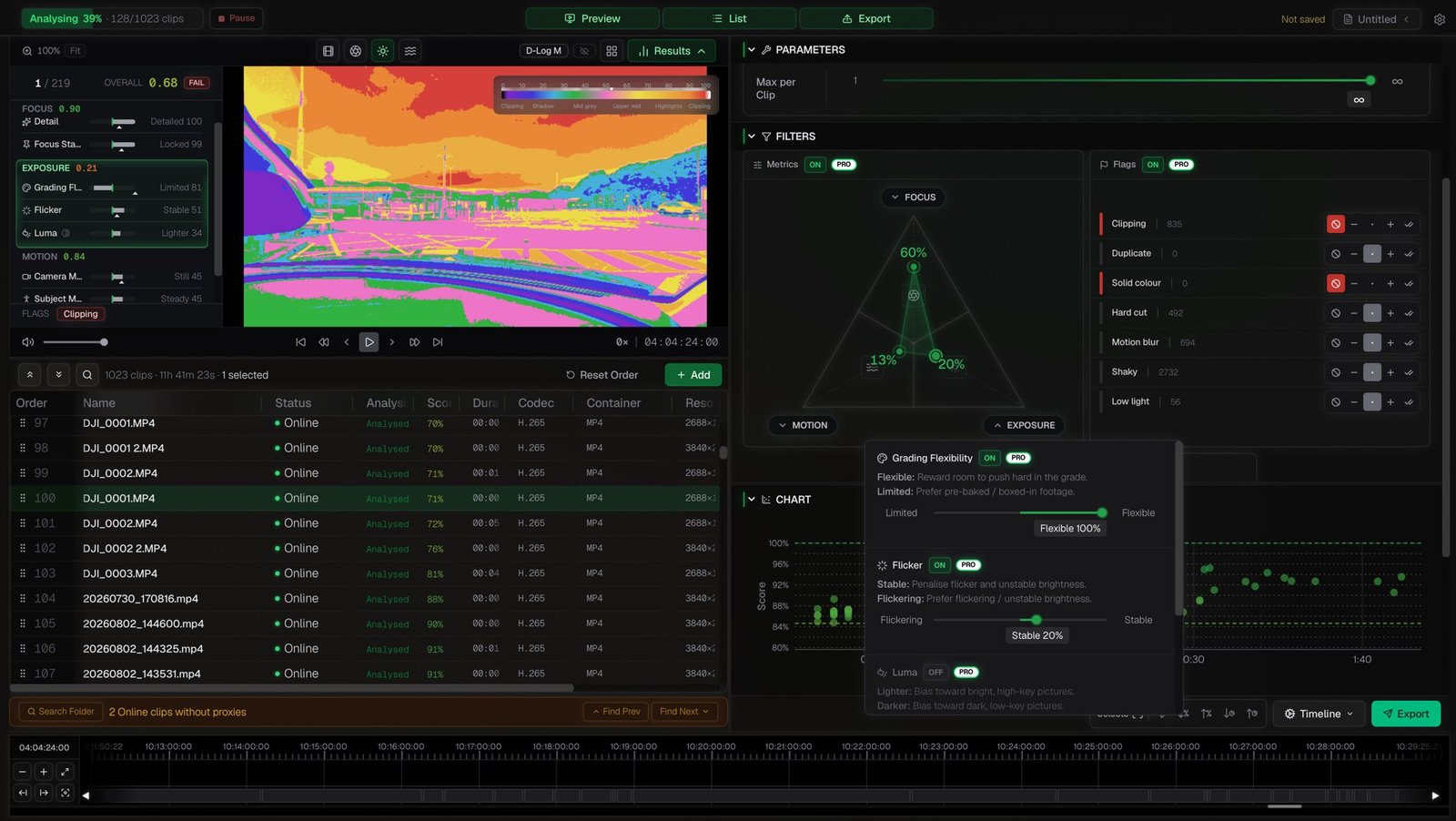
Cutdown does one job. It goes through your rushes and sorts them into selects before you open your edit software.
It scores every clip on focus, exposure, motion and camera movement. You set how strict it should be, and the selects update as you go, without analysing anything twice. It flags the usual suspects: clipped highlights, duplicates, shake, motion blur, low light. Then it sends the lot to Premiere, Resolve, Avid or Final Cut.
It runs on your own computer, offline. Your footage never leaves the building. It reads most camera files directly, and handles RAW formats through linked proxies.
There's no AI in it
Cutdown doesn't try to understand your footage. It measures it. Is it sharp? Is it exposed? Is it steady? Same clips in, same result out, every time.
That's the opposite of where most new tools are heading. They use AI to decide what your footage means and cut a first draft for you. (Adobe's Firefly Quick Cut and Cutback Selects are two.)
For a lot of editors, no AI is the reason to try it. Some footage isn't allowed near AI at all: sensitive interviews, archive, anything under contract. A tool that only measures pixels is one you can check.
My test
I gave it a trip's worth of rushes, then threw everything at it: 1,023 clips, nearly 12 hours of footage. As I write this it's still working through them, estimating about an hour and a half for the lot. Three shots tell you everything about how it thinks.
The one it got right
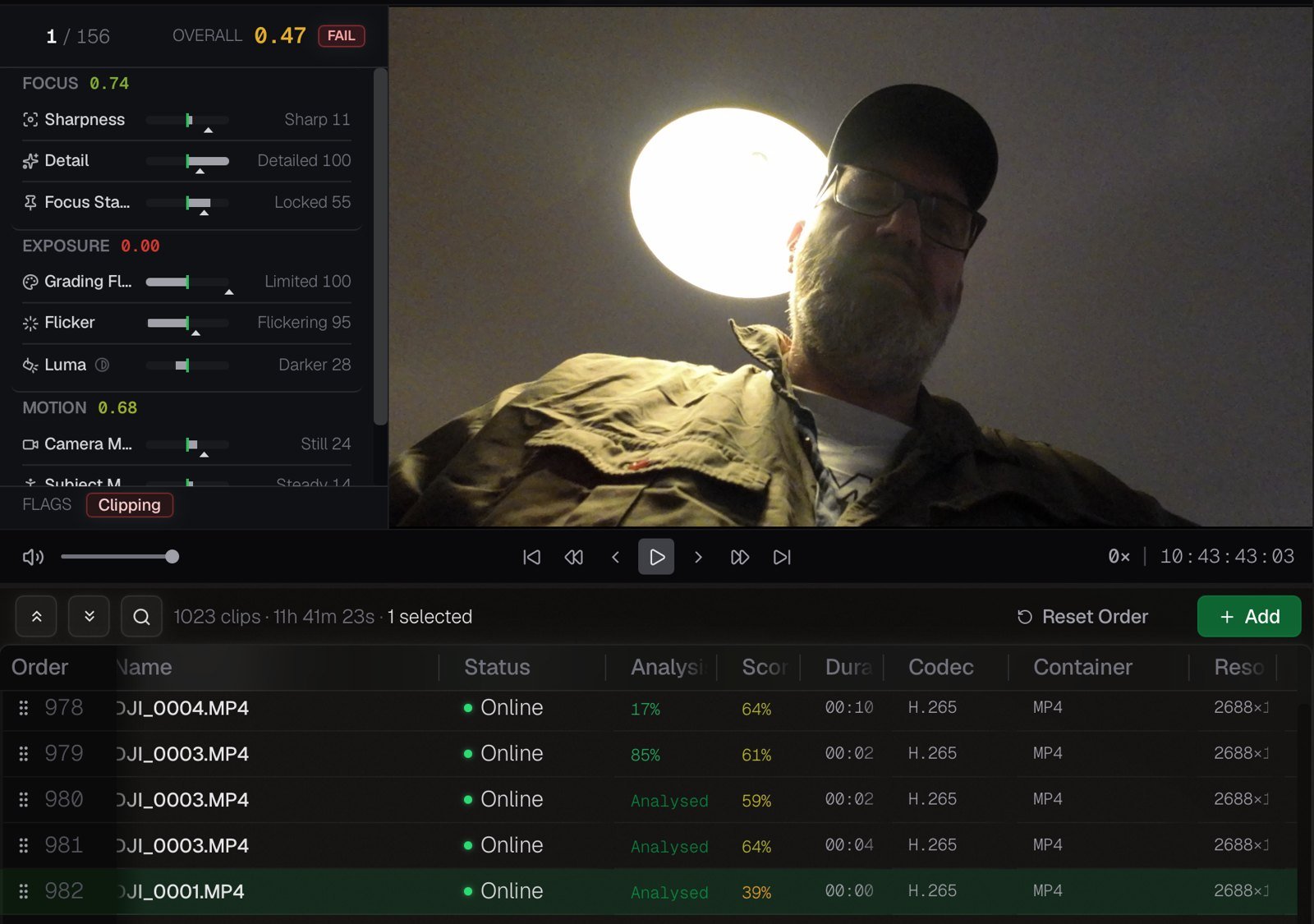
Me, looking up at the camera, a ceiling light burning a hole in the top of the frame. It failed it at 0.47, exposure zero, flagged for clipping. I'd never use that shot. Neither would you. That's the scrubbing it saves you, a thousand times over.
The one it half got
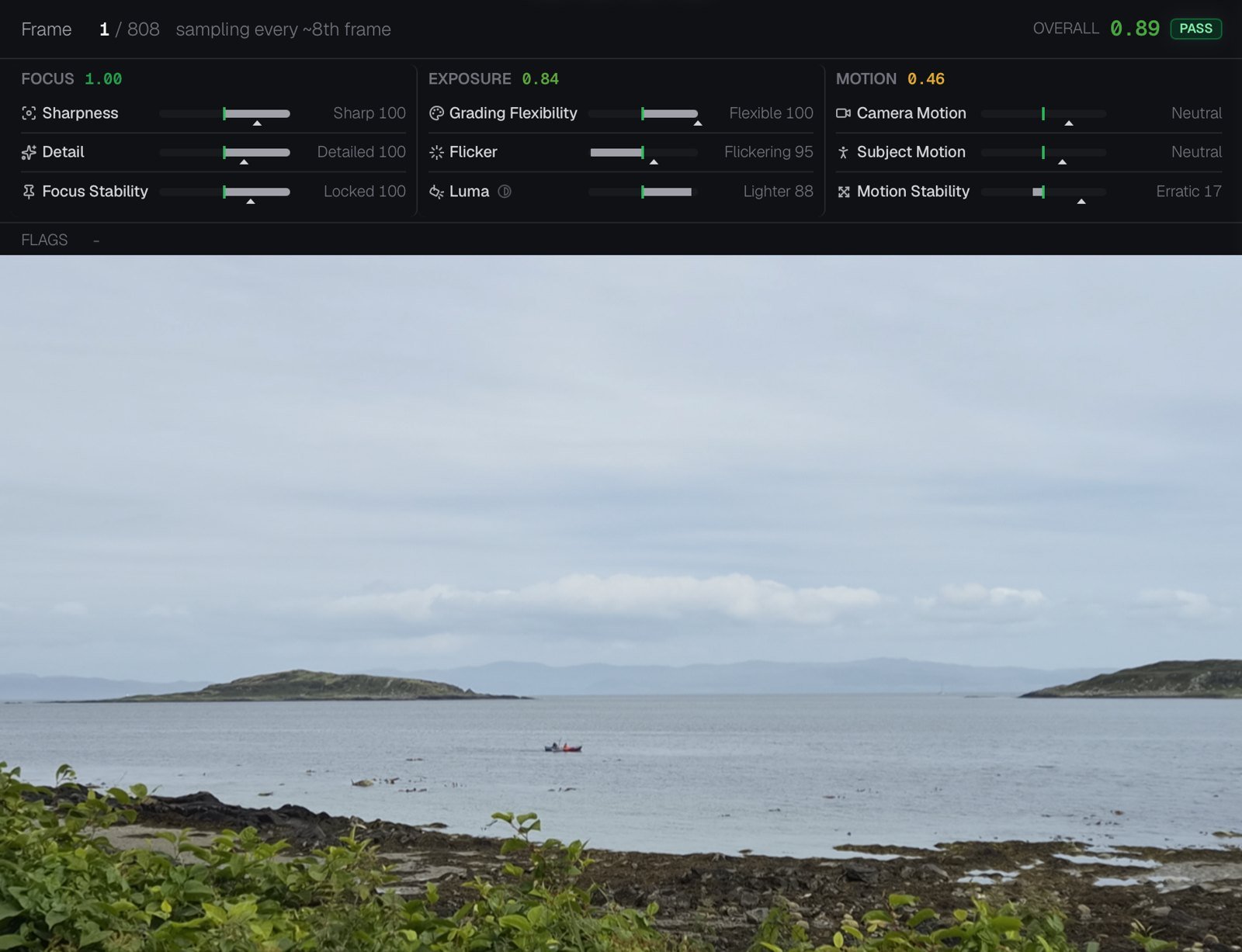
A wide of the bay, a little red kayak crossing it. Locked off and peaceful, the kind of shot that holds a sequence together. It passed, 0.89, with focus a perfect 1.00. But it marked the motion as "erratic", because the wind was moving the leaves and the light was moving on the water. To the maths, that's instability. To me, that's what makes the shot breathe.
The one it got wrong
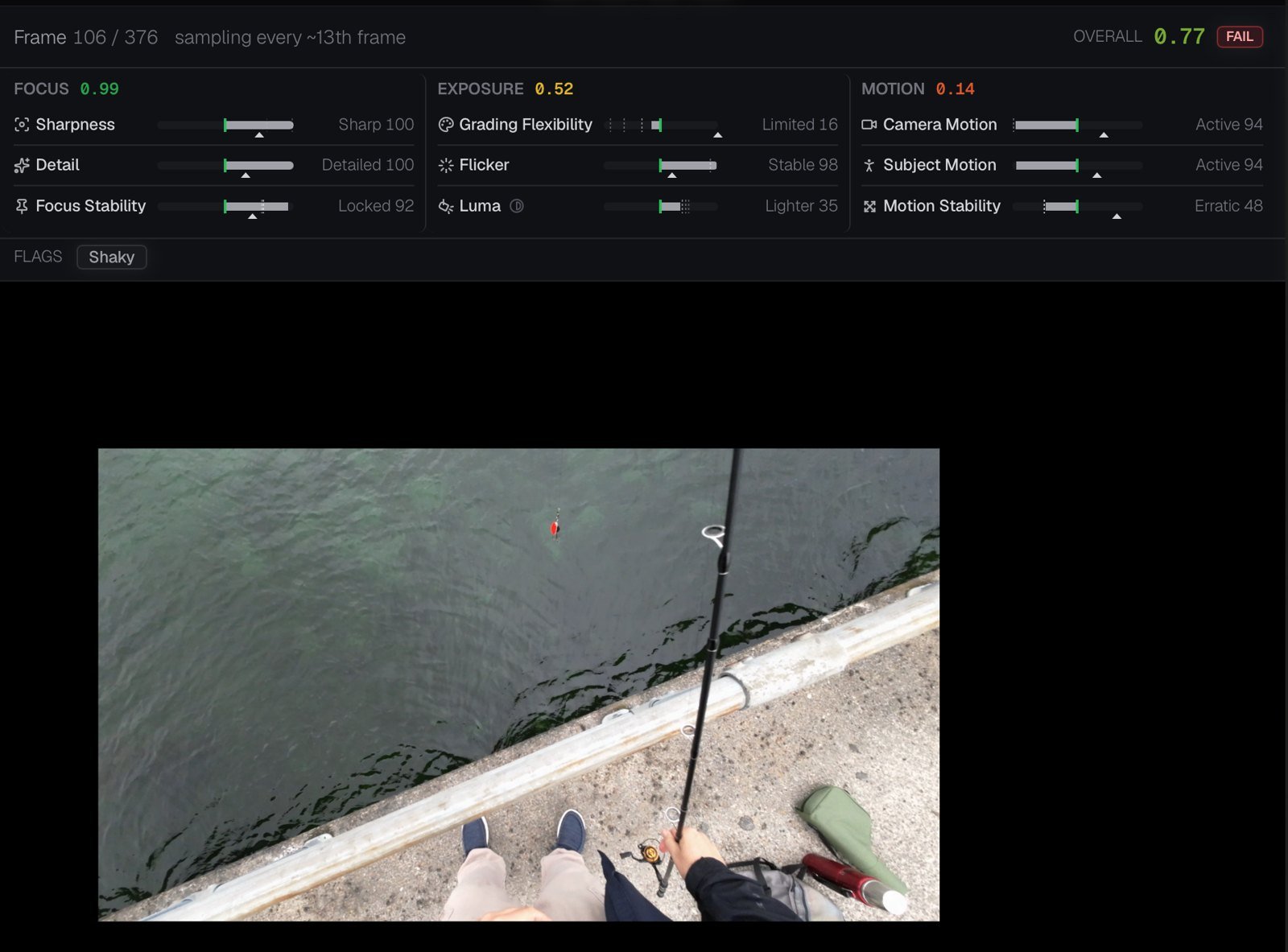
Me on the harbour wall, rod in hand, camera looking down at my feet and the lure in the water. It failed it, flagged "shaky". It's right. It is shaky. It's also the shot that puts you on that wall with me.
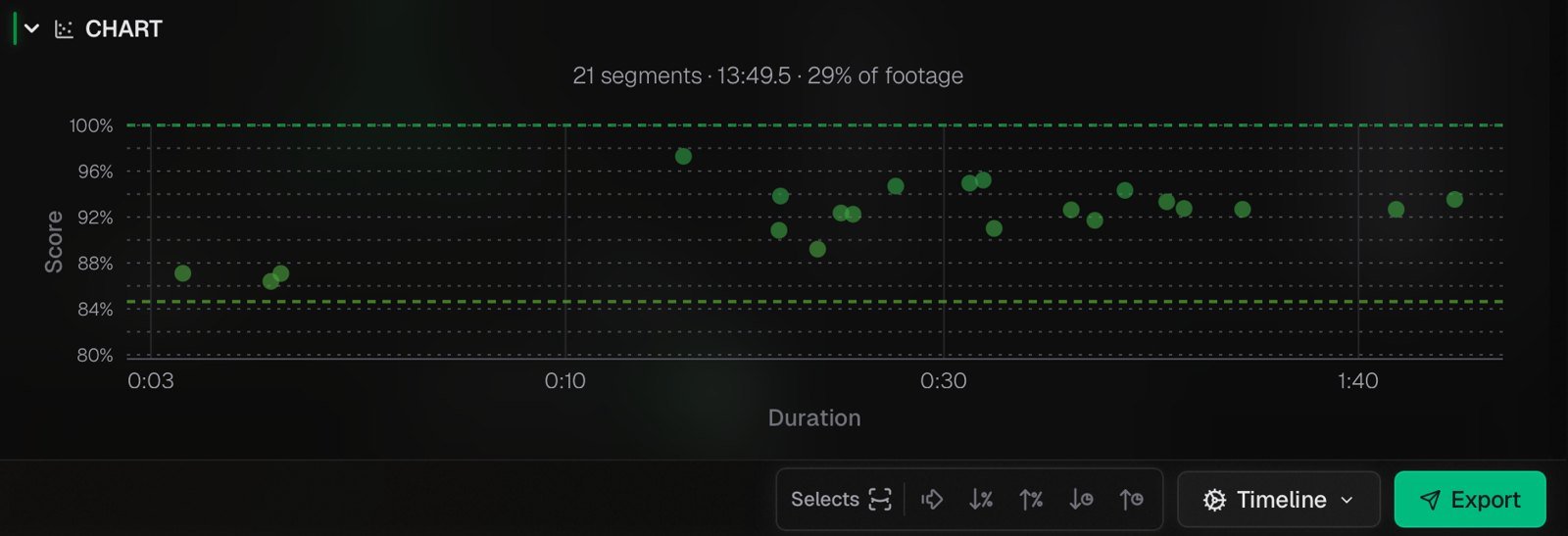
On one smaller bag of rushes it kept 21 clips, just under 14 minutes, 29% of what I shot. Less than a third, sorted while I made a coffee.
The mental map
Watching everything is painful. It's also how you learn your footage. By the end of a viewing you carry a map in your head: where the good stuff is, what's missing, the shot from day four that saves the sequence you haven't cut yet.
On a big series you get time to build that map. On Big Cats 24/7 we had around three months of footage. The edit assistant's first job was to lay everything out on timelines, one per camera per filming day. GoPro, Tuesday 13th April. It's all there, in order, so nothing gets lost.
Most creators don't have an assistant or three months. That's where something like Cutdown earns its place. It doesn't replace the map. It helps you build one faster, from fewer, better options.
Where it fits
- Alongside the stringouts. Keep the timelines by camera and by day. Run the same folders through Cutdown and bring its markers into your edit, so the best and worst moments are already lit up on the map.
- Natural history long lens. Hours of long-lens footage, much of it soft or shaking in the heat haze. Let it find the sharp, steady stretches, then watch those properly.
- Weddings and events. Several cameras rolling all day. A quick way to drop the shots where someone walked through frame or the light went.
- Sensitive and archive material. It's offline, so it works where cloud AI tools can't.
- The solo creator. The free version into Resolve with markers. A technical clean-up before the creative work, at no cost.
Someone on Cutdown's Q&A asked for it to analyse a timeline directly and build selects from it. The makers say it's on their roadmap. For now it works on files, not timelines.
Getting it into your edit
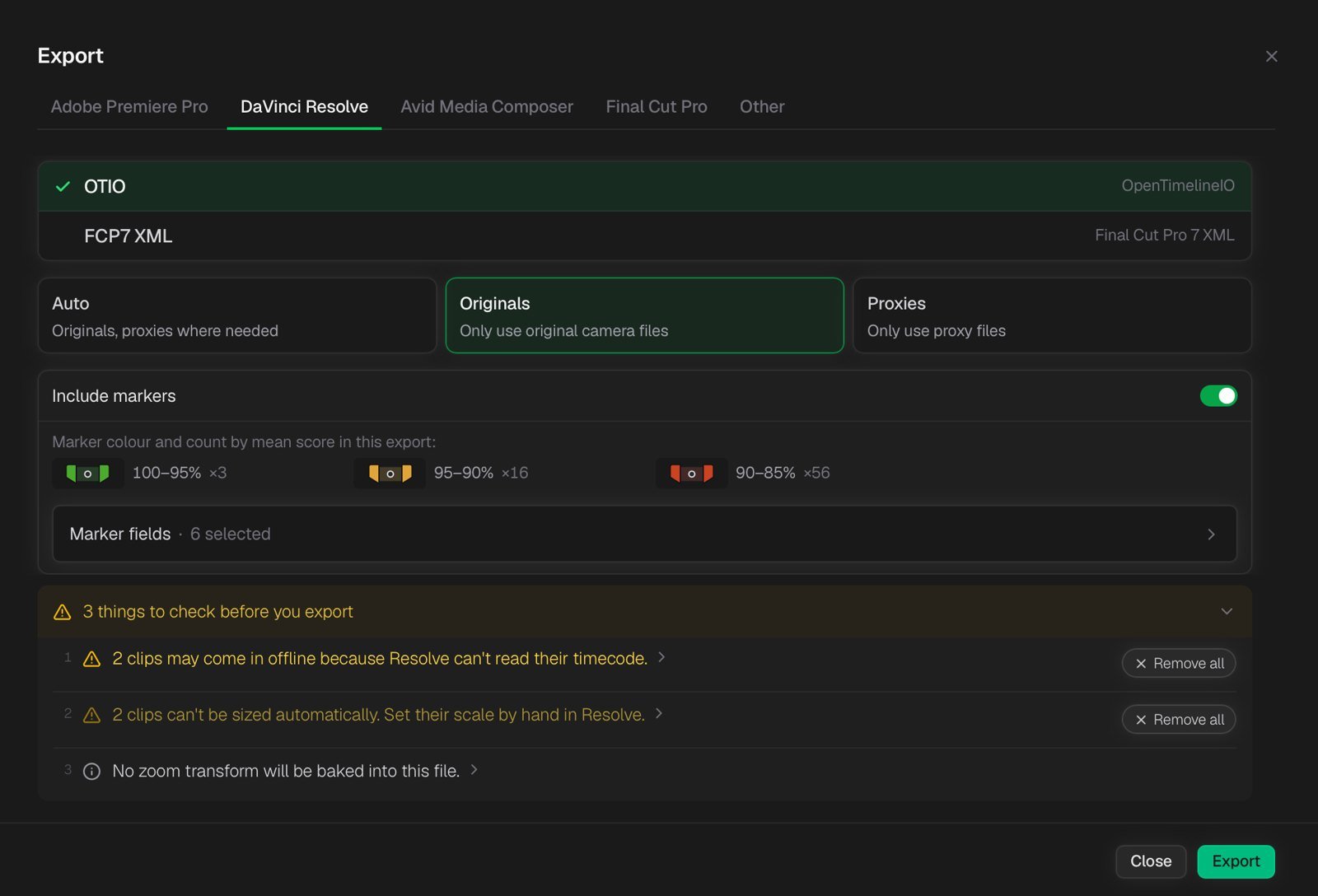
The export is where it won me over. It sends your selects with coloured markers on every clip: green for the best, amber for good, red for the ones that only just made it.
Then, before it lets you export, it does what a good assistant does. It warns you. On my test it flagged two clips that would come into Resolve offline because of their timecode, and two that would need resizing by hand. That's the stuff that normally costs you twenty minutes of head-scratching after the import.
What it costs
Cutdown Lite is free, with no account, no trial and no time limit. It isn't a cut-down demo. It ranks unlimited footage into selects, lets you set the score threshold and segment length, shows the focus, exposure and motion overlays, and exports to all four edit apps. For most people, that's the whole job.
Pro is a one-off lifetime licence: $189 until 1 November, then $249, plus tax. No subscription. It adds finer control. Every slider runs both ways, so you can tell it to prefer soft focus over sharp, or simple frames over busy ones. You also get the camera-movement filter, custom presets, watch folders and custom markers.
For a calm natural history sequence, I'd push it towards steady and sharp. For a handheld vlog, I'd let it favour movement. Same footage, different film, different selects.
So, do I still have to watch everything?
On a series with an assistant and three months, yes, and I'd want to. That viewing is where the film starts.
On everything else, maybe not all of it. Cutdown is brilliant at telling me what's sharp and quick at clearing the junk. What it can't tell me is which shaky shot is the one that matters, whatever you're making. That's still the edit.
It can tell you what's technically good. Only watching tells you what's good.
I couldn't find any independent reviews yet, so the details here come from my own test and the maker's site. Read more: Cutdown · Camera formats · TechCrunch on Firefly's Quick Cut
Keep going
The room I keep building
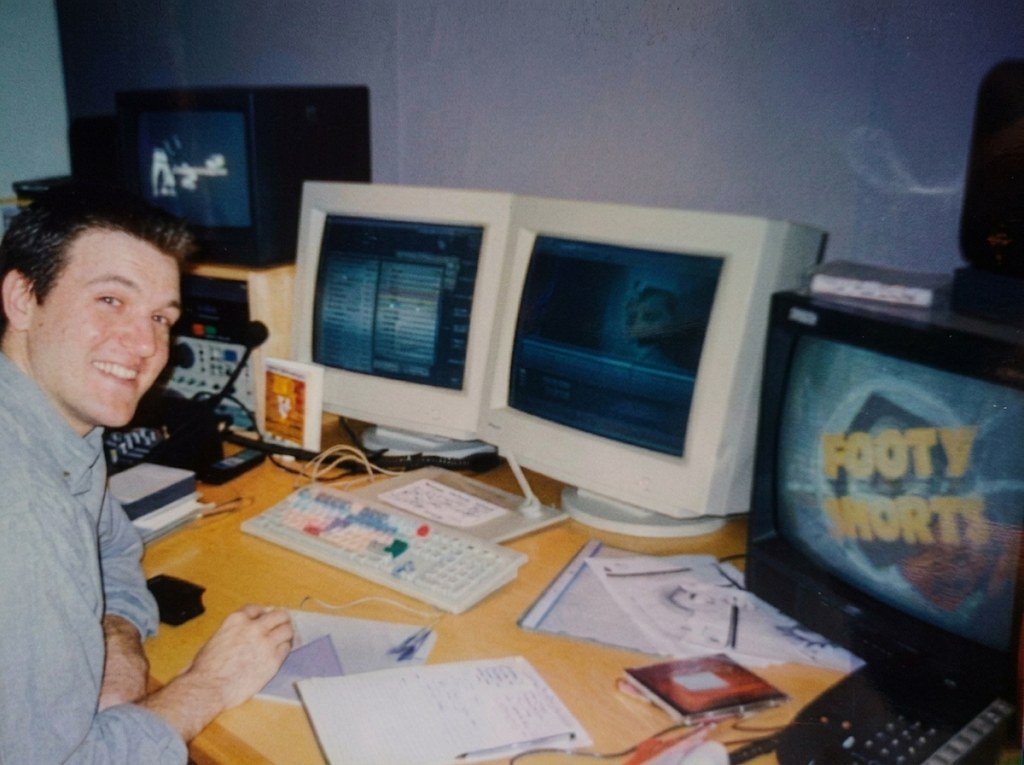
Every maker has a reason they only half understand. I found mine by writing down how I built two websites. It goes back to a dark room in 1998, and a question I didn't ask on Jura.
I bought Resolve from the wrong shop
Same name, same icon, same software on the screen. But the DaVinci Resolve Studio you buy on the Mac App Store isn't quite the one Blackmagic sells. Here's what I found out the hard way.